Pocket Client Book: Diary app icon

Your client book — on iPhone, no cloud

When clients message or call — no public booking page. Calendar and client database free forever. Data stays on your iPhone, no account, no servers.

  • Free forever
  • Fully offline
  • No account
  • iPhone & iPad
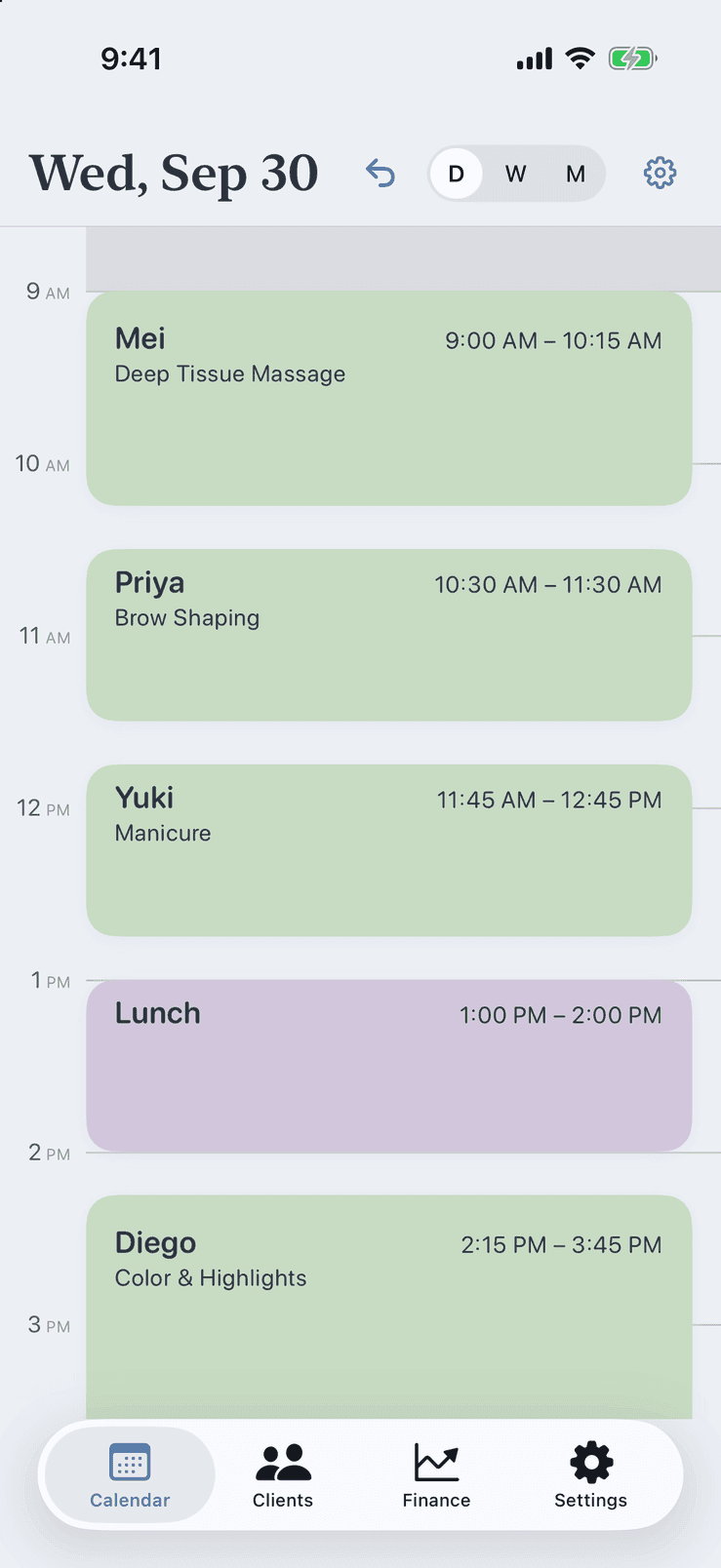
Day view in Pocket Client Book on iPhone: upcoming client appointments with name, service and time, plus a personal lunch block

See it in action

Calendar, reminders, clients and finance — the same screens you get on your iPhone or iPad.
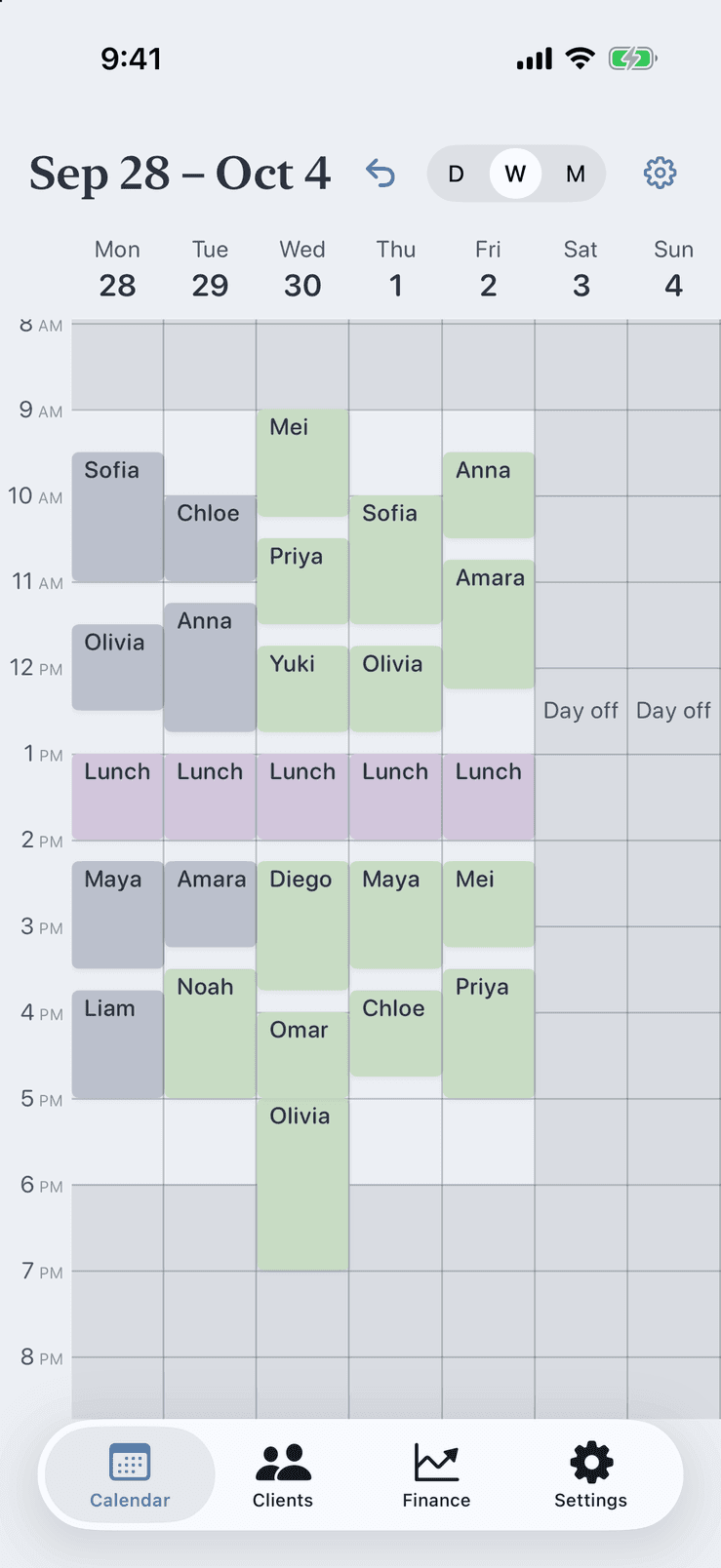
Week view in Pocket Client Book showing client appointments and personal blocks on one offline calendar
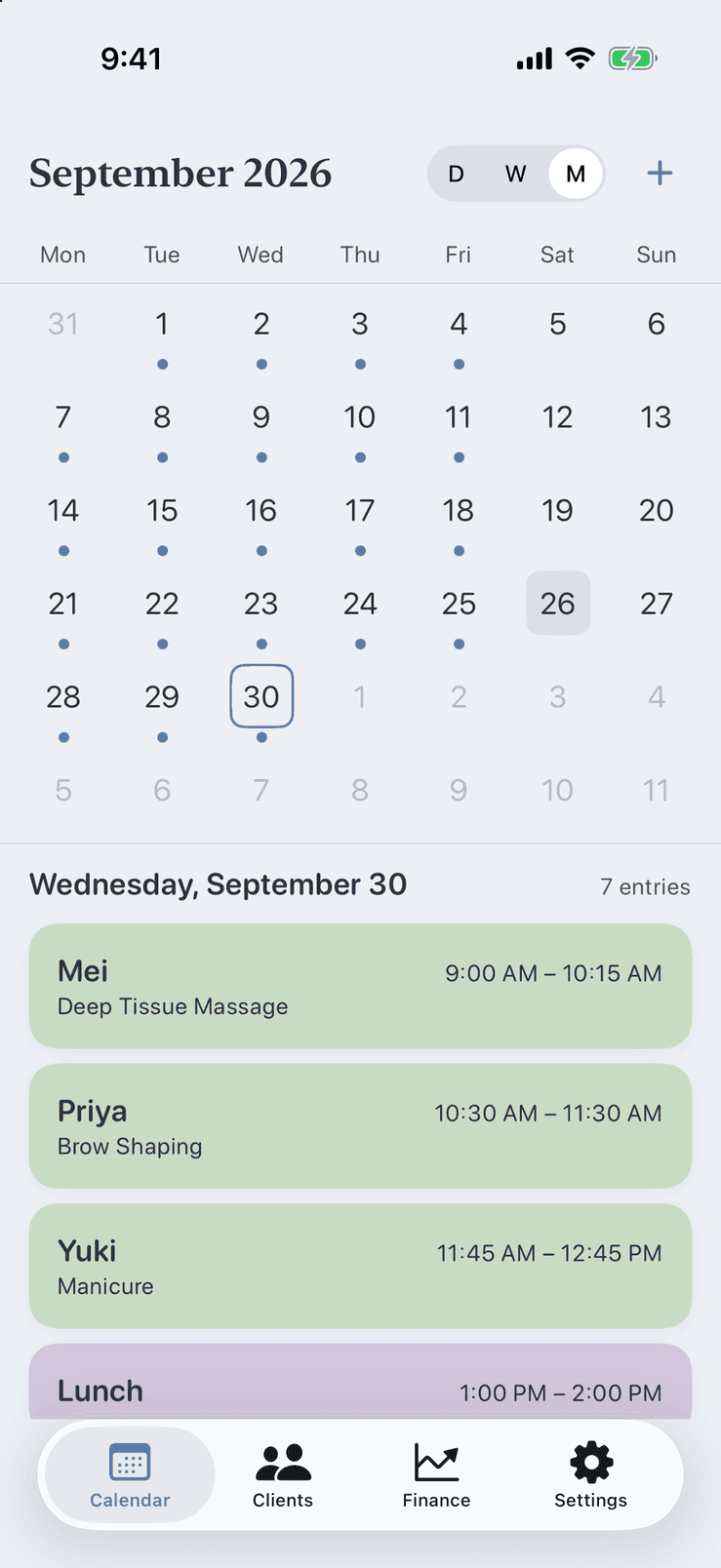
Month view in Pocket Client Book with a list of the selected day's appointments below the grid
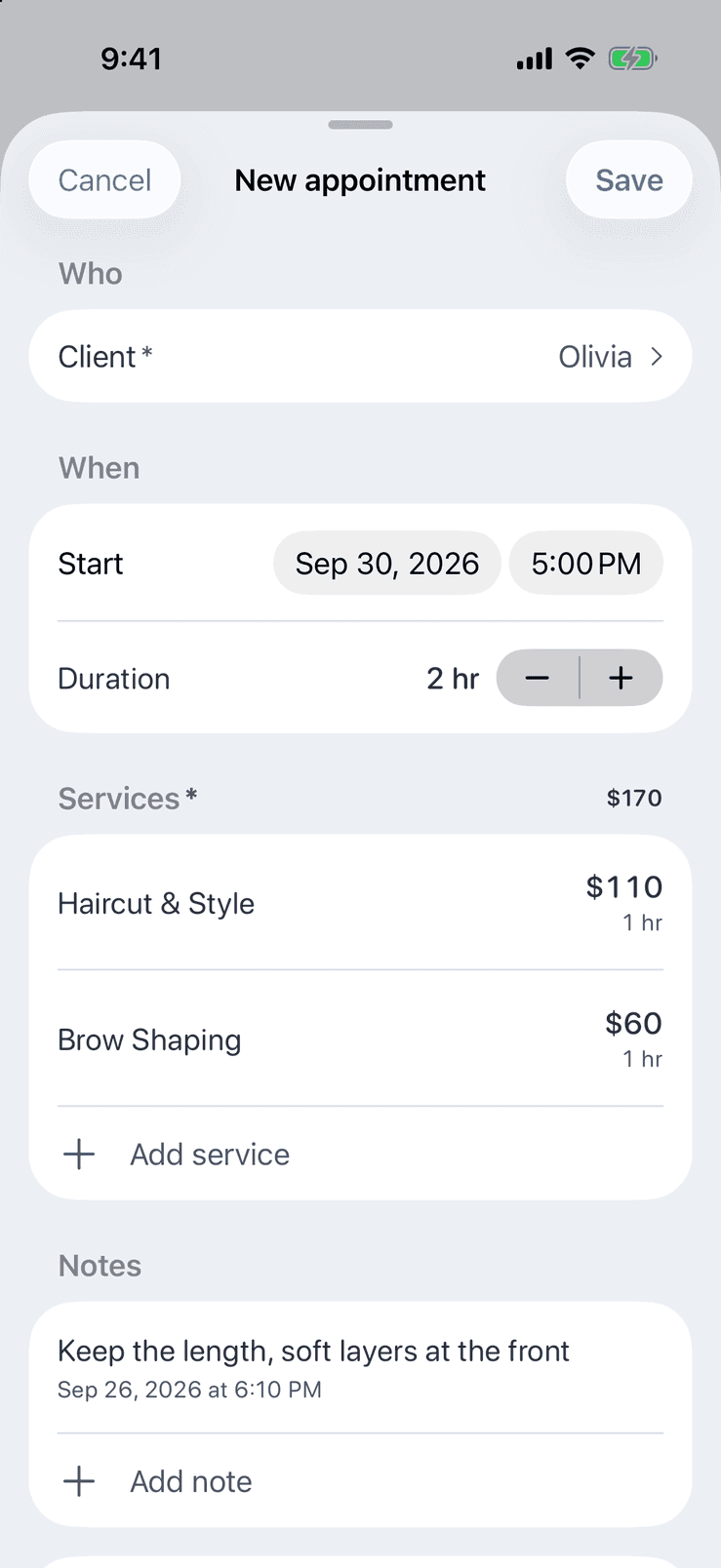
New appointment form in Pocket Client Book: one client, two services with price and duration, and a visit note
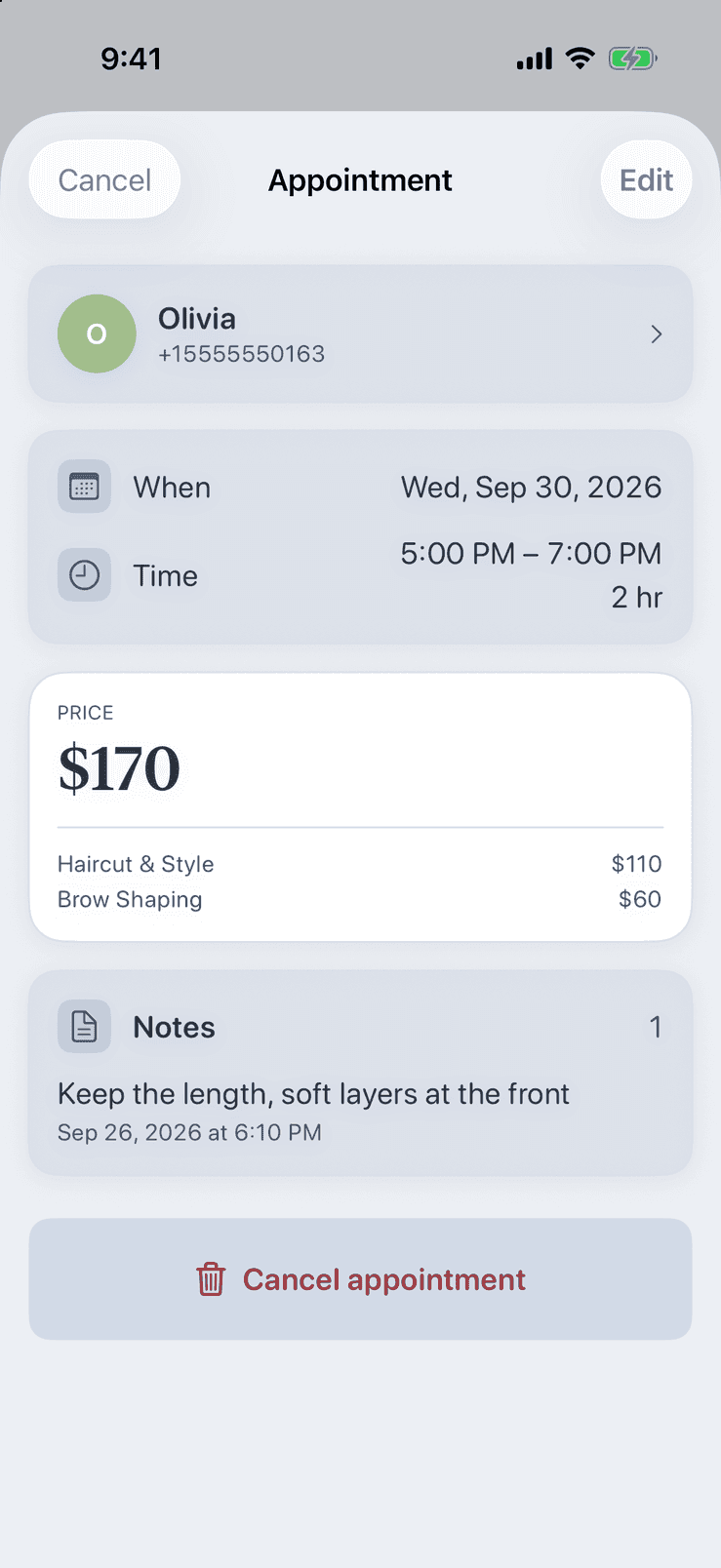
Appointment details in Pocket Client Book with client, date and time, a two-service price breakdown and a visit note
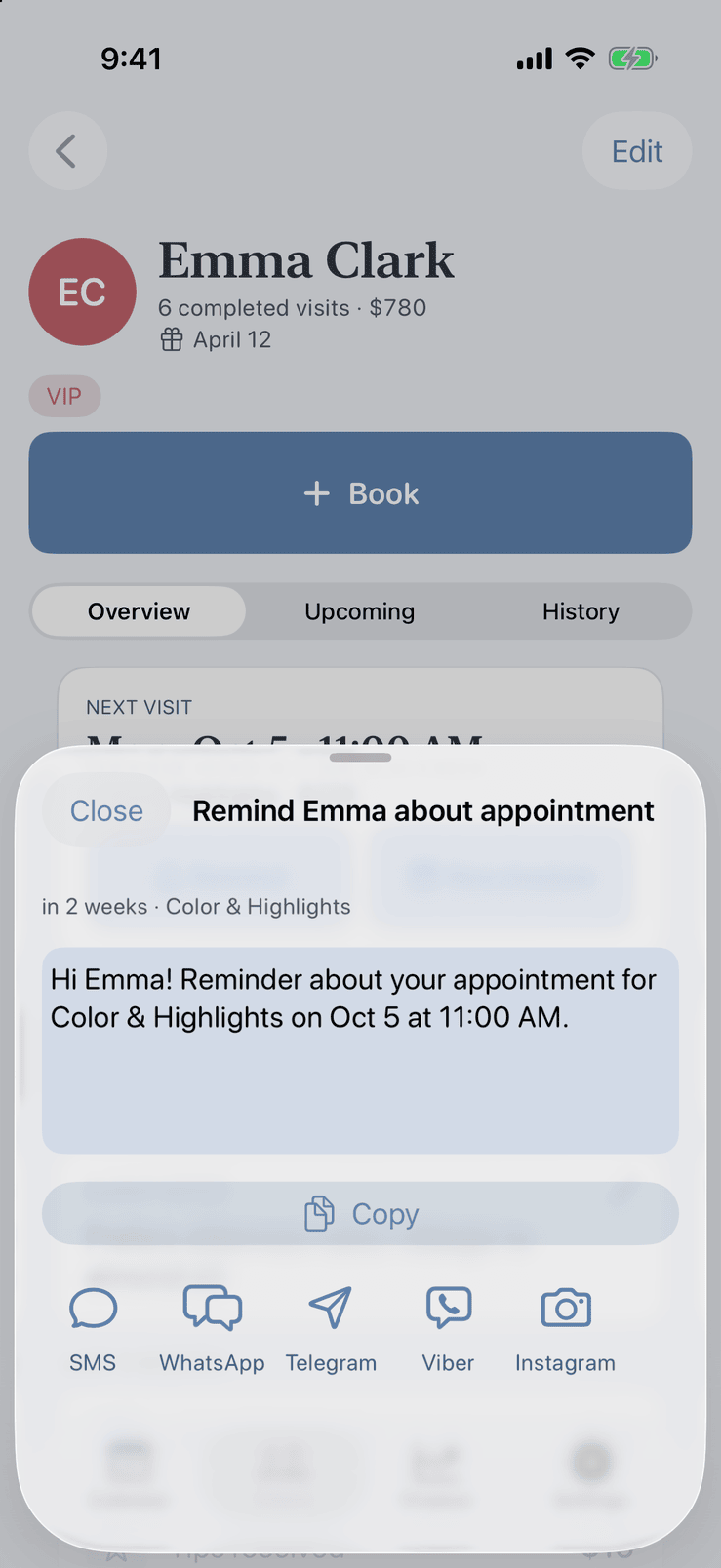
Reminder sheet in Pocket Client Book with a ready-to-send message and buttons for SMS, WhatsApp, Telegram, Viber and Instagram
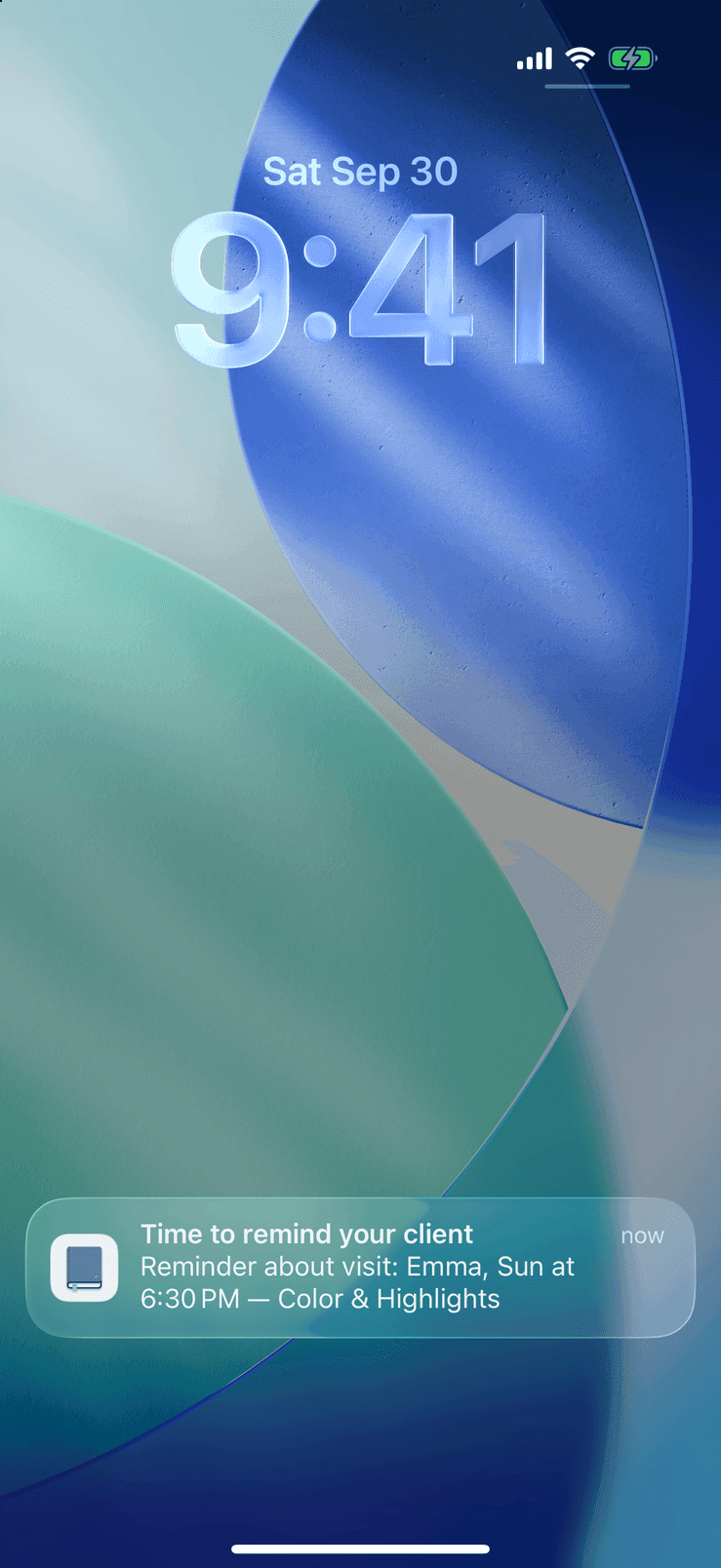
Pocket Client Book push notification on the iPhone Lock Screen: time to remind a client about tomorrow's visit
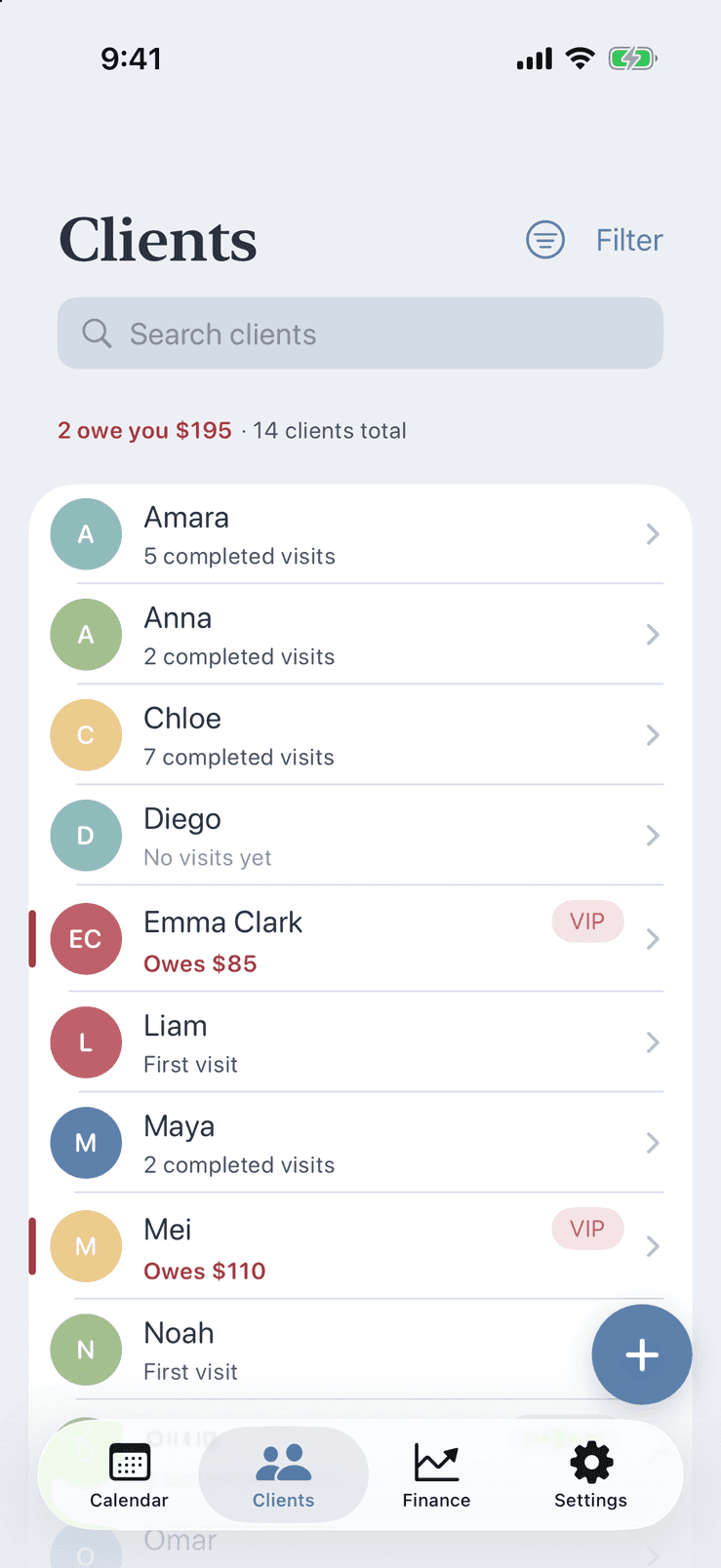
Client list in Pocket Client Book with search, colour tags and who still owes money
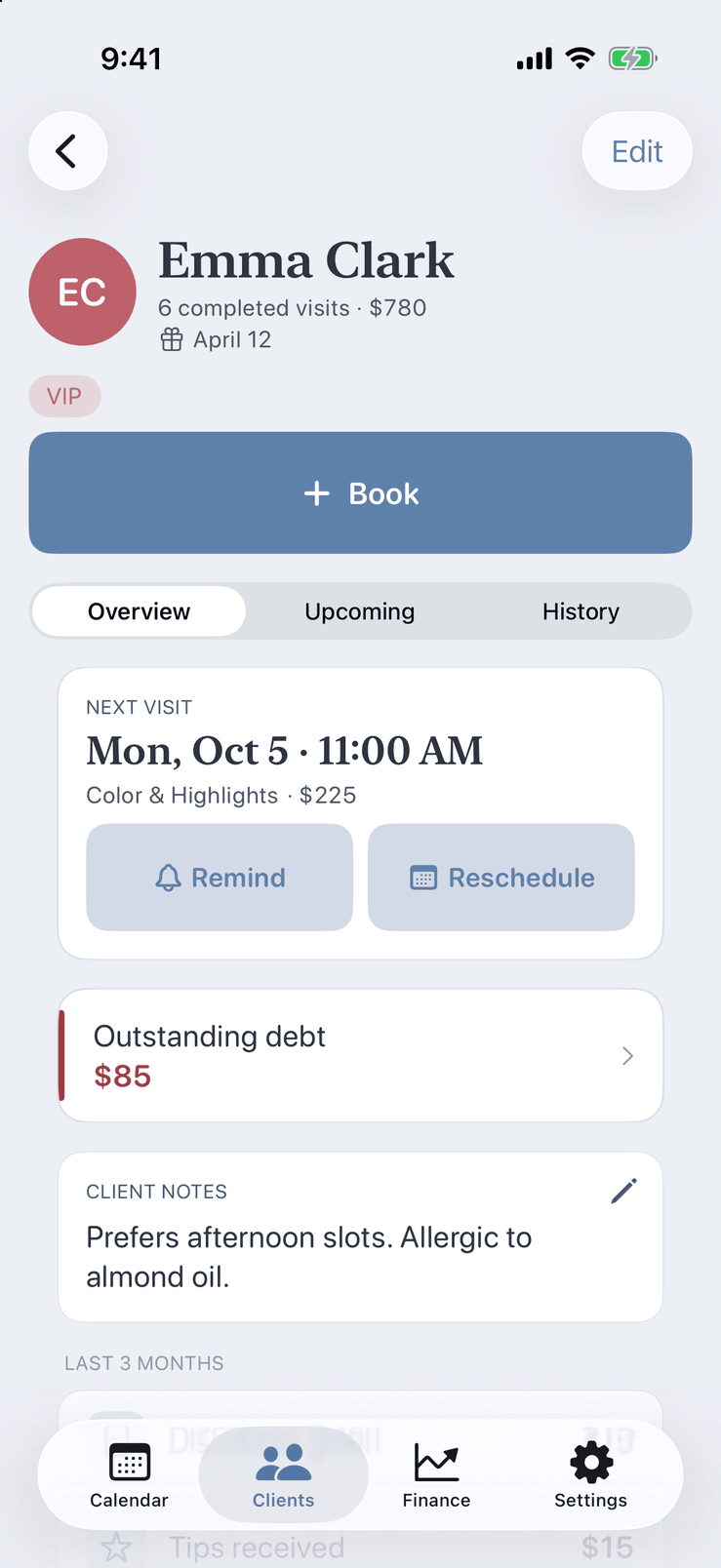
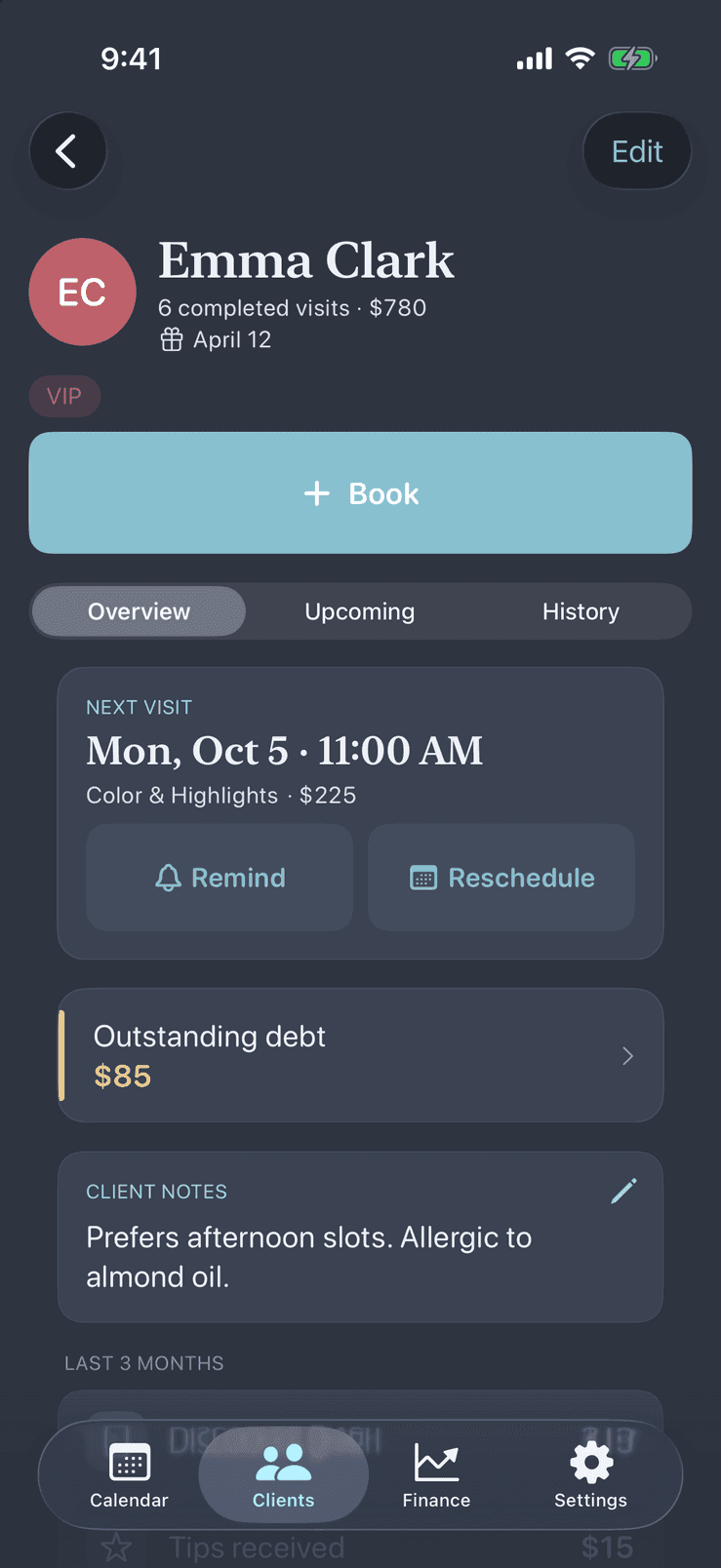
Client profile in Pocket Client Book showing the next visit, completed visits, notes and money totals
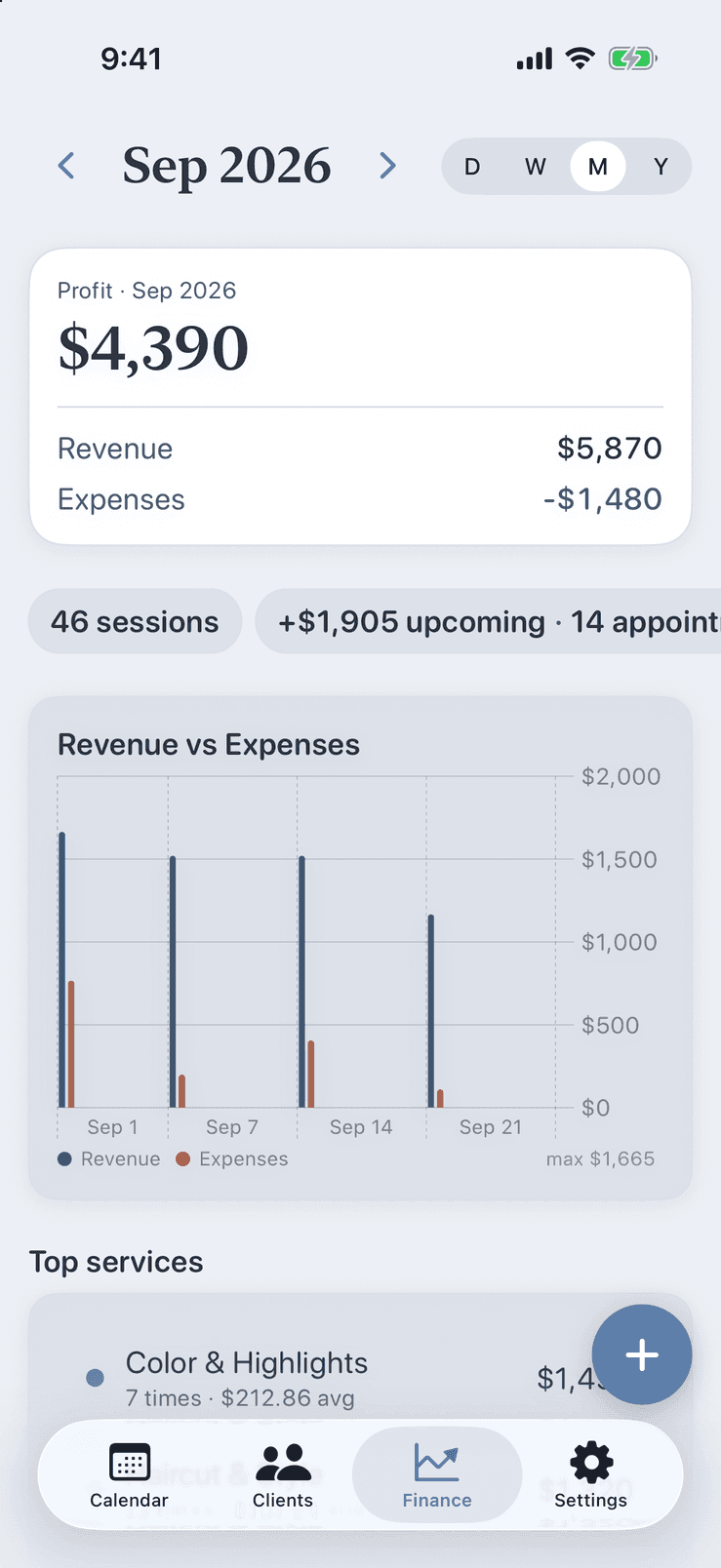
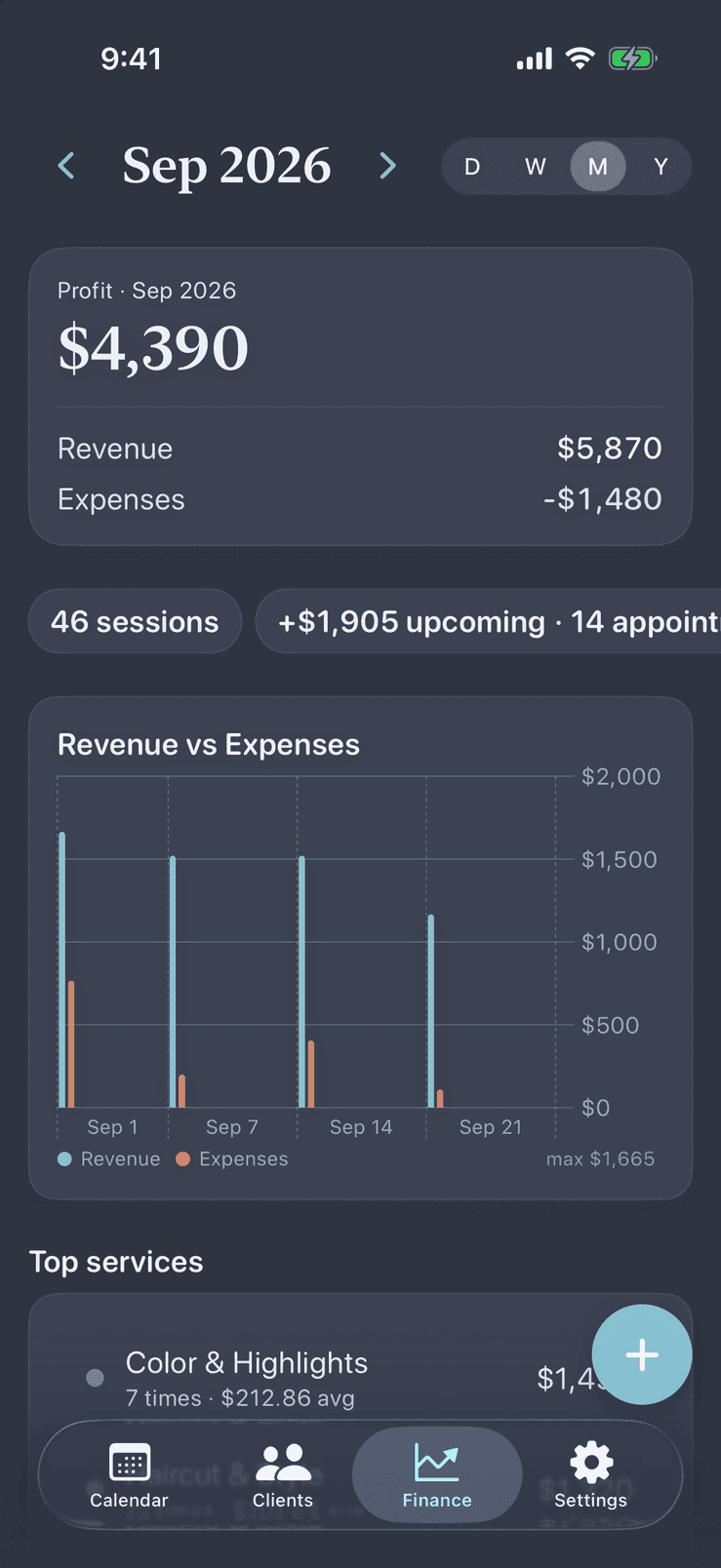
Finance dashboard in Pocket Client Book with revenue, expenses and profit for the month
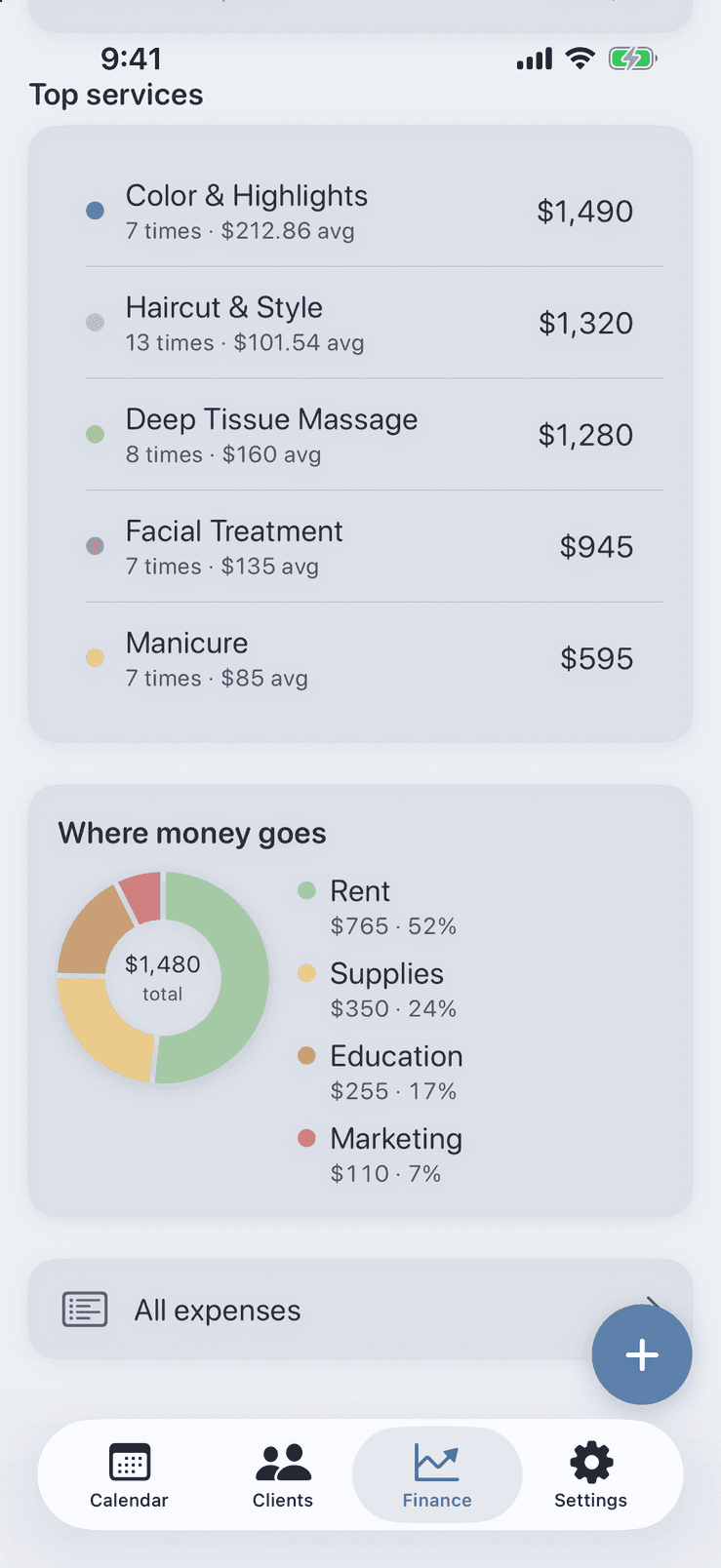
Top services by revenue and expenses broken down by category in Pocket Client Book, calculated on the device
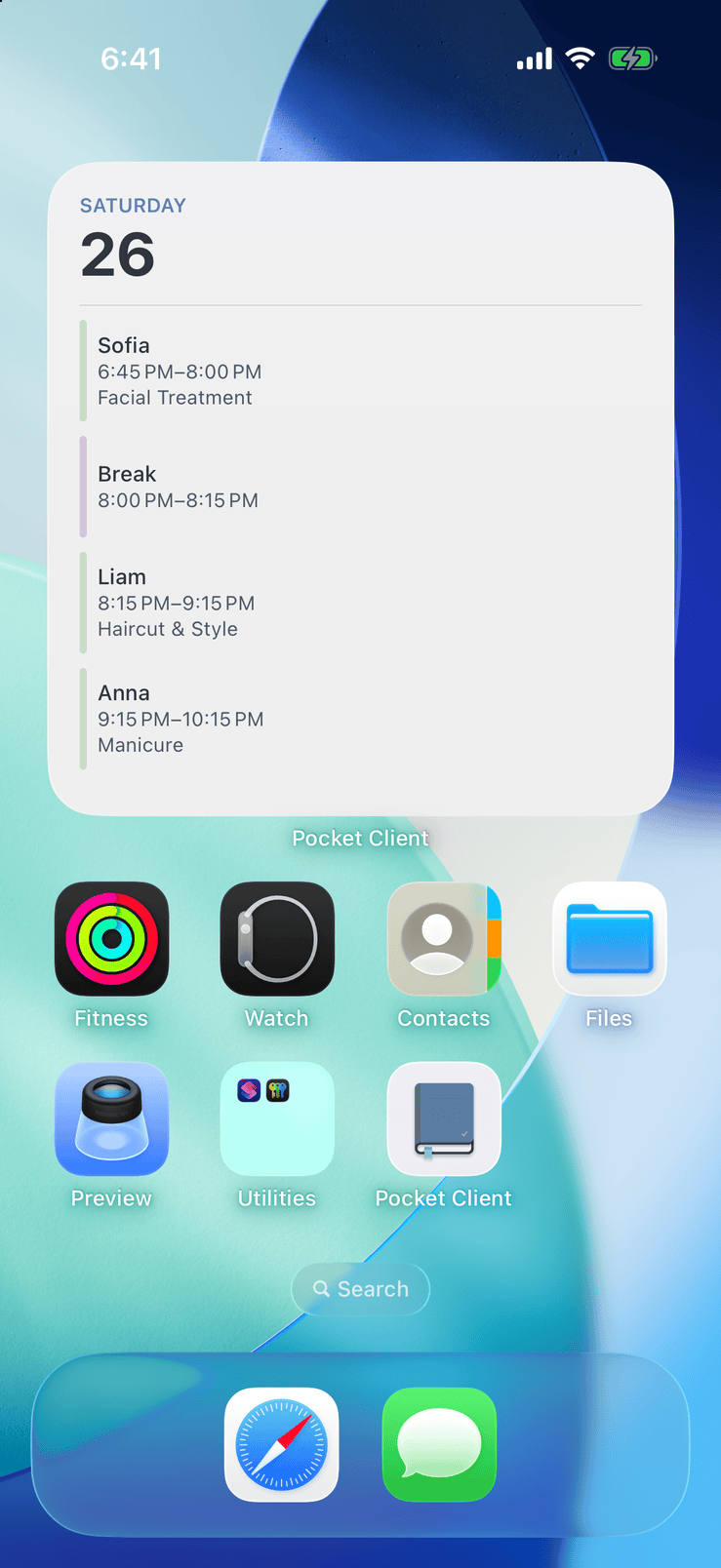
Pocket Client Book widget on the iPhone Home Screen with the day's client appointments and personal events
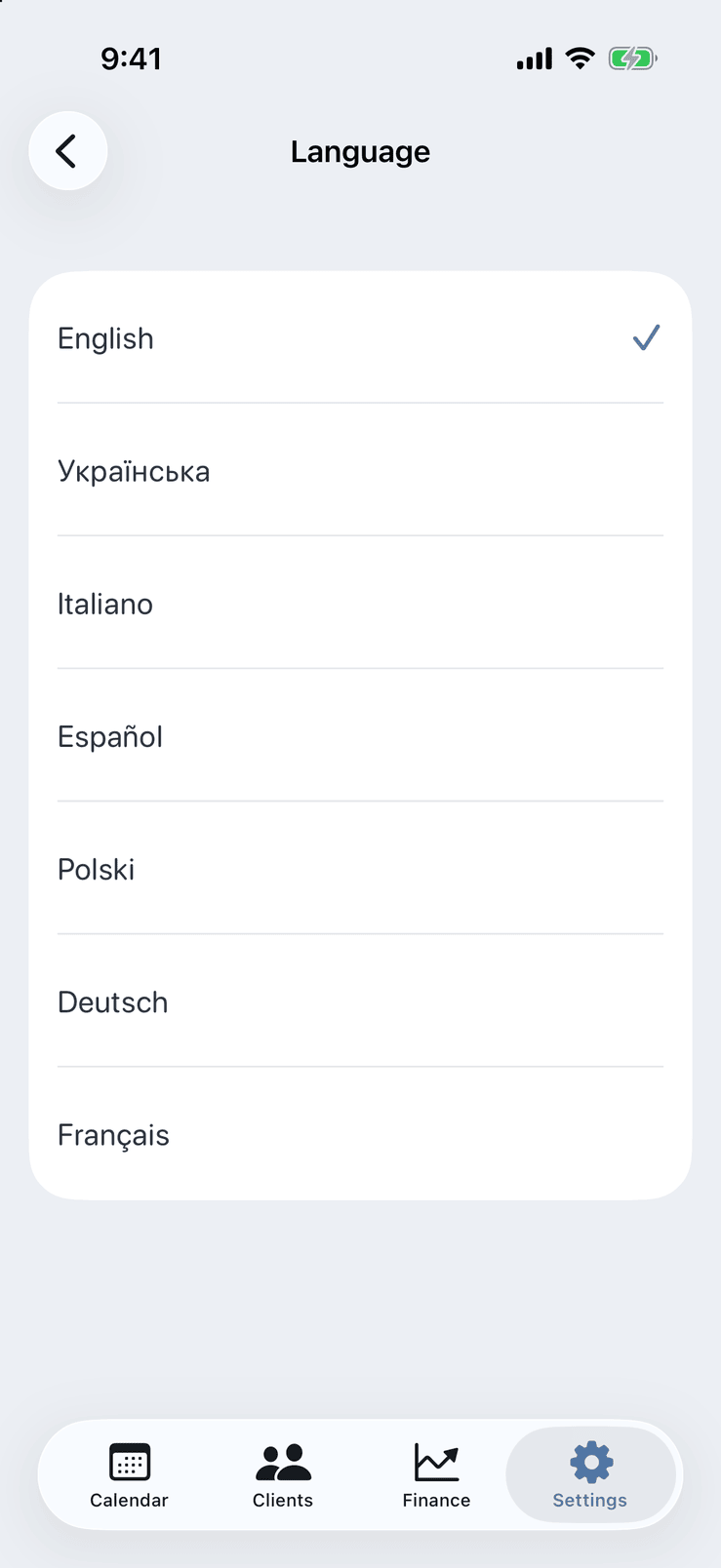
Language picker in Pocket Client Book settings: English, Ukrainian, Italian, Spanish, Polish, German and French, switched without restart

Swipe to explore

Three tabs. One client book.

Calendar, clients, and finance — three tabs, one local database on your iPhone or iPad. Scheduling is free forever; finance unlocks with PRO.

Day, week, and month

Your local schedule — client bookings and personal time blocks on one calendar, stored on device.

  • Day, week, and month views with color coding and working hours
  • Client appointments and personal events — both free
  • Multiple services per visit with custom price and duration
  • Statuses: booked, completed, cancelled, no-show, partial payment
  • Repeat appointments, per-visit notes, drag to reschedule in day and week views
  • Overlap conflict hints — no server sync required
  • Local push reminders for you; client message drafted automatically — one tap to SMS, Telegram, WhatsApp, Viber, or Instagram, and you send it
Pocket Client Book week calendar with day, week and month views and drag to reschedule

Light or dark — your choice

Choose light, dark or match the system in Settings. Every screen adapts, from the week grid to the finance charts.
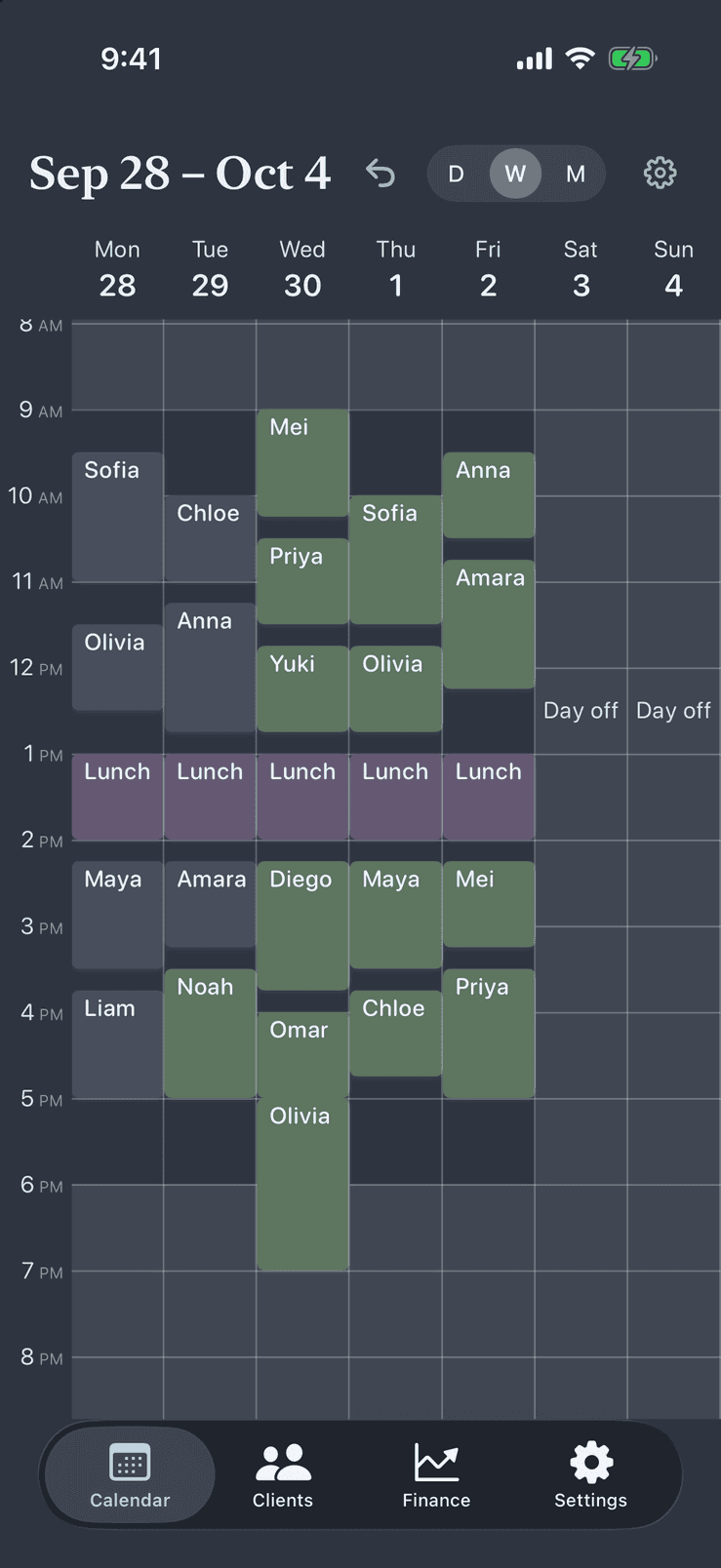
Pocket Client Book week calendar in the light theme: client appointments and lunch breaks from Monday to Friday
Light
The same Pocket Client Book week calendar in the dark theme, with client appointments and lunch breaks
Dark

Easy on the eyes in the evening

In the dark theme, statuses, debts and charts stay just as readable — handy when you check tomorrow's schedule late at night.
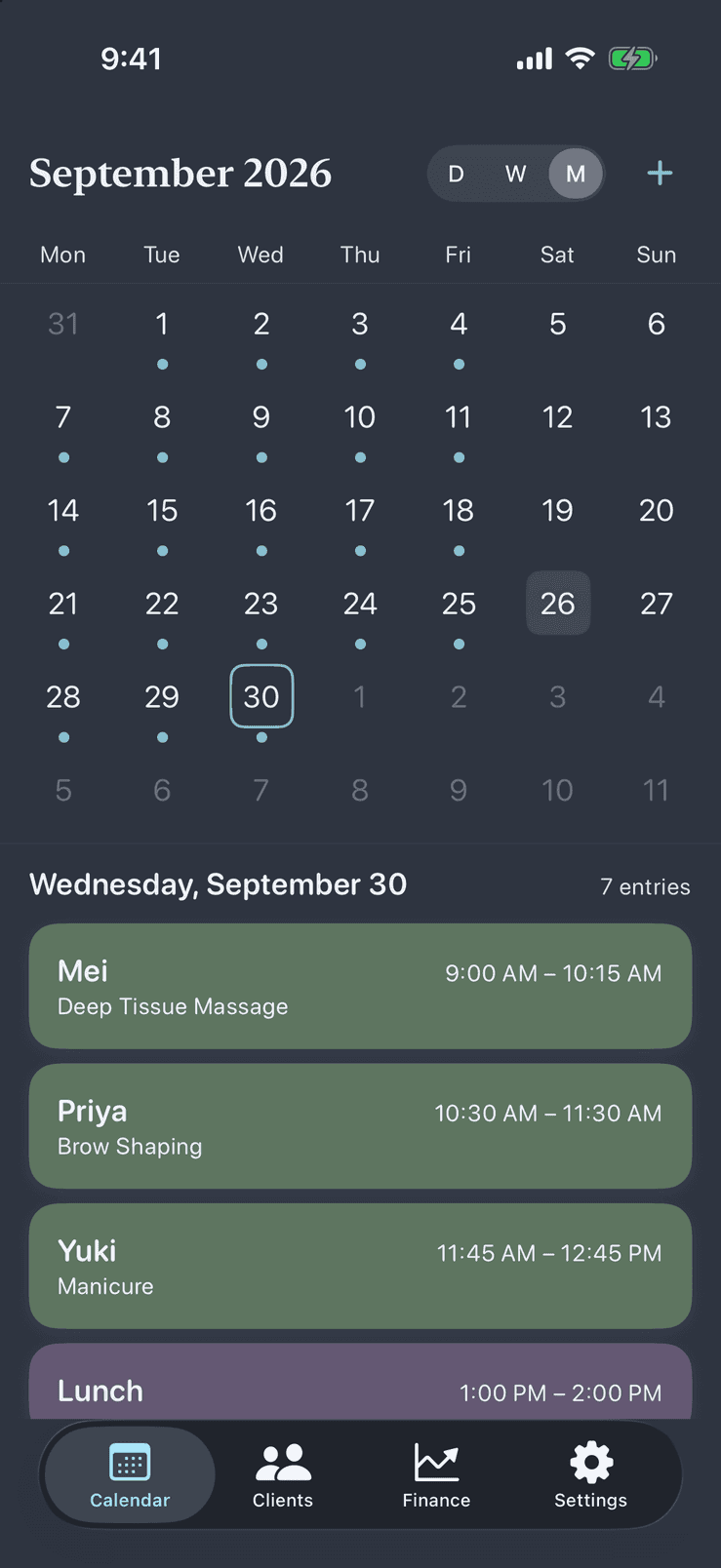
Month view of Pocket Client Book in the dark theme with the selected day's appointments below the grid
Client profile in Pocket Client Book in the dark theme with the next visit, outstanding balance and notes
Pocket Client Book finance dashboard in the dark theme with profit, revenue, expenses and a chart

Everything else — still local

Reminders, services, the Settings tab, widget, and backup — still part of the same local client book.

Services & catalogs
  • Service catalog: name, duration, price, color
  • Archive and restore services
  • Client tags with colors
  • Expense categories (PRO)
Personal event types
  • Lunch, breaks, personal errands — separate from client bookings
  • Custom event types with default duration and color
  • Shown on the same calendar and Home Screen widget
  • Free — no PRO required
Settings & reminders
  • English, Ukrainian, Italian, Spanish, Polish, German, French — switch without restart
  • Currency, light/dark/system theme
  • 12- or 24-hour clock and first day of week
  • First day of week and working hours per weekday
  • One reminder per appointment with a ready-to-send message draft; push tells you when to send
  • Advanced reminders (PRO): self-prep alerts, custom offsets, branded message template
  • Backup (PRO) in Settings: iCloud Drive and .json / .pcbbackup files
  • Fourth tab in the app — no cloud account required
Home Screen widget
  • Available with PRO
  • Today's client appointments and personal events
  • Reads a local snapshot — no network
  • Optional — you control whether it is added
Platform
  • iPhone and iPad — iOS 17.6 or later
  • Four tabs in the app: Calendar, Clients, Finance, Settings
  • Free forever: calendar, clients, services, tags, one reminder per appointment
  • 14-day free trial on the monthly PRO plan — handled by the App Store, cancel in iOS Settings

Offline by design

Built for solo pros who want full control — no servers, no accounts, no compromises.

Works without internet

Full calendar, clients, services, and reminders with zero connectivity. No sync queues — your data is already on the device.

Data stays on your device

A local app with no backend servers and no login. Your database lives on iPhone or iPad with iOS Data Protection.

Built for solo pros

Minimum taps, logical flow — for trainers, therapists, coaches, consultants, and service pros: beauty, wellness, tutoring, and more.

Simple pricing

The full client book is free forever. To unlock PRO, pick what suits you: a monthly subscription or a one-time lifetime purchase — same features either way.

Free forever
$0

Use the full client book at no cost — no trial, no subscription, no time limit. PRO is optional.

  • Calendar: day, week, month — client and personal events
  • Multi-service visits, repeat, notes, drag reschedule (day & week), statuses
  • Clients, tags, services, personal event types
  • One reminder per appointment + messenger deeplinks — you send the message
  • English, Ukrainian, Italian, Spanish, Polish, German, and French
PRO
14-day free trial on the monthly plan

Two ways to unlock PRO

One-time purchaseRecommended
$79.99Lifetime

Pay once, use PRO forever — no subscription

Monthly subscriptionSubscription
$4.99/mo

Auto-renews monthly — cancel anytime in iOS Settings

Same PRO features — finance, expenses, charts, backup, the Home Screen widget, and advanced reminders. You choose how to pay.

We remind you 3, 2, and 1 day before the trial ends — cancel anytime in iOS Settings, no surprise charges.

  • Finance dashboard: KPI, top services, debtors
  • Expenses with categories and repeating entries
  • Revenue and expense charts
  • iCloud Drive backup in Settings (your own iCloud account)
  • Backup export and restore (.json / .pcbbackup) via Files app
  • Home Screen widget (S/M/L)
  • Advanced reminders: multiple offsets, branded template, self-prep alerts

Prices are shown in USD; the App Store charges the equivalent price set for your region. Subscriptions renew automatically until canceled in iOS Settings.

Questions

Everything you need to know before downloading.

Ready to run your business offline?

Download Pocket Client Book free — calendar and clients forever, finance when you need it.